 By Mike. Published: . Last updated: .
Drafted with AI assistance. Every price, date and claim was checked against the linked sources on the date shown.
In short
- AI photo trends are looks where you upload a photo, or describe a person, to an image tool and a prompt redraws it in a style such as the 1980s, 1990s or Y2K.
- ChatGPT and the Gemini app can do it on free tiers with unpublished image limits [1][8]. Midjourney has no free trial on its website or in Discord and starts at $10 a month [11][12].
- We wrote copy-paste prompts for all three tools on three decade pages: 80s, 90s and Y2K.
- Privacy is the cost. Uploads may be used for training unless you opt out, and Midjourney images are public by default [6][10][16].
Prices and limits read on 26 November 2026.
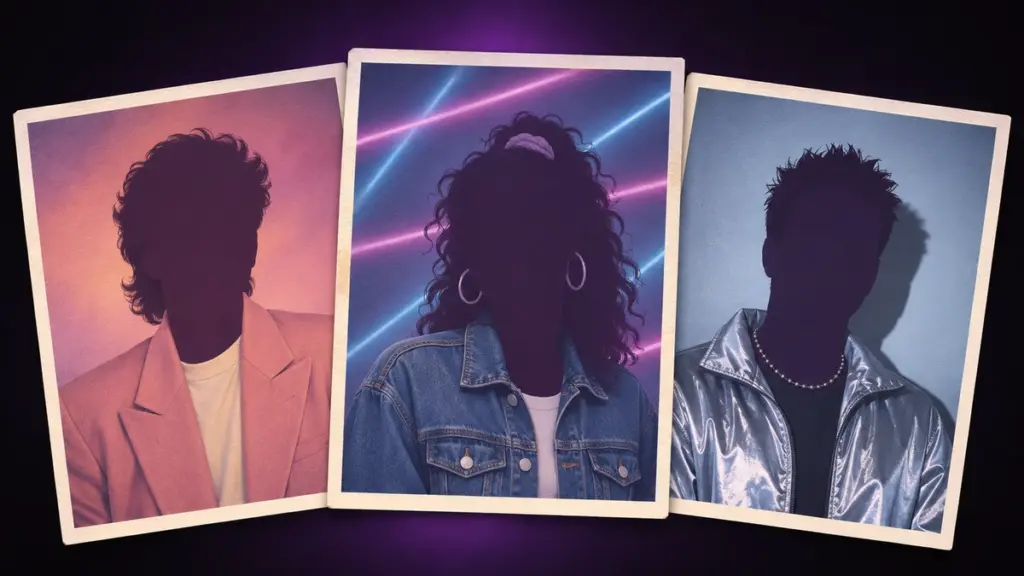
What AI photo trends are and how they work
An AI photo trend has three parts: one input photo (or none), one shared prompt, and one image model. The model does not apply a filter. It redraws the whole picture, so hair, clothes, light and the camera look change together while the pose and face are meant to stay. That is why the same prompt can be reused by thousands of people and still give each of them a personal result.
Most trends fit a recipe. The decade looks on our pages use the 80s portrait, the 90s mall studio and the Y2K flash snapshot. In the search results we recorded on 26 November 2026, a US search for “ai photo trends” showed pages that list 80s portraits, figurines, Ghibli-style portraits, chibi photos, film and disposable-camera looks, Y2K photos and scrapbook collages [23]. Another page we read says a viral format is easy to understand, visibly transformed and easy to recreate [23].
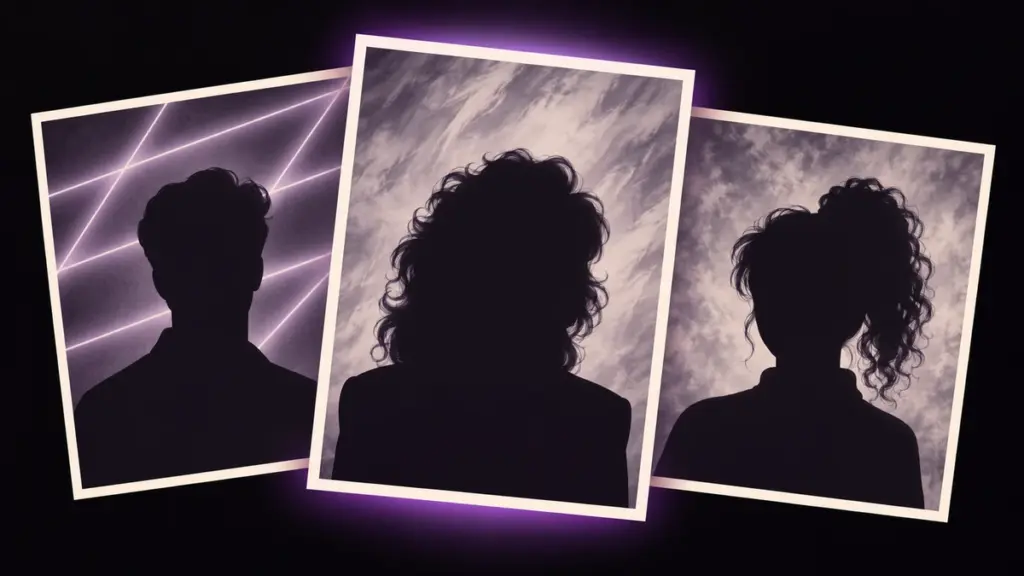
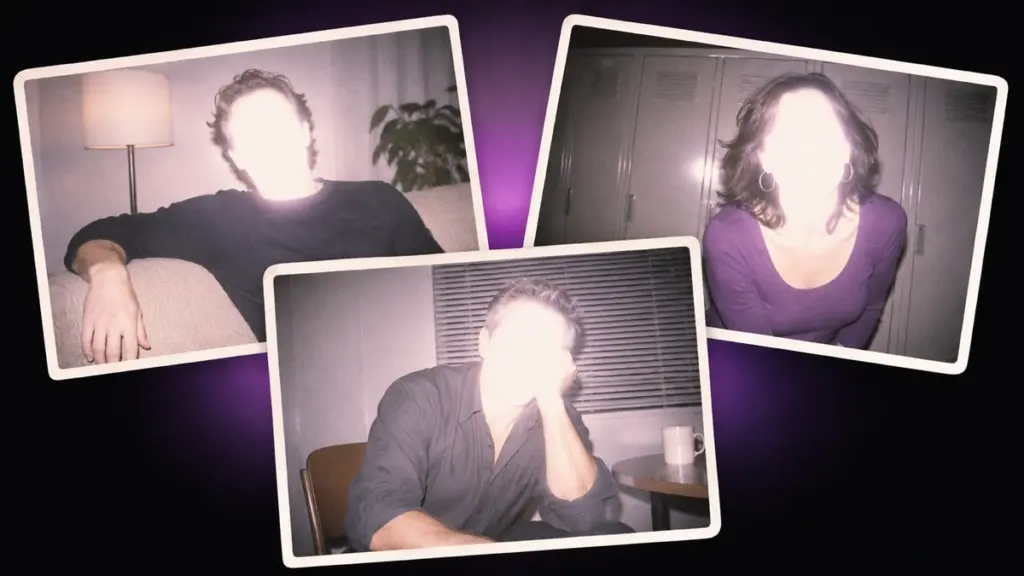
Disclosure: Trendarium uses AI assistants when drafting pages. The example images on these pages were made with an image model for Trendarium and show invented people.
Which trends we cover
| Trend | What changes in the picture | Our page | Starting tool |
|---|---|---|---|
| 1980s portrait | Big hair, padded shoulders, warm flash, faded color | AI photos in 80s style | ChatGPT or Gemini app |
| 1990s snapshot and mall studio | Direct flash, denim, laser-pattern backdrop, grain | AI photos in 90s style | ChatGPT or Gemini app |
| Y2K and early 2000s | Compact-camera flash, cool cast, low resolution | AI photos in Y2K style | ChatGPT or Gemini app |
| Figurines, Ghibli-style portraits, chibi, scrapbook collages | Subject becomes a toy, painting, cartoon or collage | Not covered yet | Midjourney, whose Edit Model takes up to 4 reference images [13] |
Read on 26 November 2026. The last row is named on a trend page [23]; we have not written a page for it. We list it so you know the decade pages are one family, not the whole field.
Which tool to use
| Tool | Free? | Cheapest paid | What limits you | Source |
|---|---|---|---|---|
| ChatGPT (image creation) | Yes. The Free plan includes image creation with its own limit; OpenAI gives no number | Go, $8 a month in the US (announced 16 Jan 2026); Plus, $20 a month | Limits differ by plan; image creation has its own limit | [1][2][3] |
| Gemini app (Nano Banana) | Yes. Nano Banana 2 is marked free, with a daily quota Google gives no number for; Nano Banana 2.1 needs a Google AI plan | Google AI Plus, $4.99 a month; AI Pro, $19.99 (US prices) | Free: daily quota. Plans: compute-based limits that refresh every 5 hours up to a weekly cap | [7][8][9][19] |
| Midjourney | No free trial on midjourney.com or in Discord | Basic, $10 a month, or 96ayear(8 a month); Standard, $30 | GPU time: Basic has 3.3 Fast hours a month; an SD Edit Model prompt costs about 1 minute | [11][12][20] |
Prices and limits read on 26 November 2026 from OpenAI, Google and Midjourney pages. US dollars, taxes may apply. By our arithmetic, Basic’s 200 Fast minutes cover about 200 SD Edit Model prompts, since each costs about 1 minute [11][20]. Full plan tables are in our ChatGPT, Gemini, Nano Banana and Midjourney guides.
| You want | Use | Source |
|---|---|---|
| A $0 start | ChatGPT Free or the Gemini app | [1][8] |
| Several reference images in one prompt | Midjourney Edit Model, up to 4 images; a plain Image Prompt only takes inspiration | [13][14] |
| A consistent character across edits | Nano Banana models in the Gemini app, or Midjourney references | [24][13] |
| Private output | ChatGPT or Gemini with training switched off, or Midjourney Pro or Mega with Stealth Mode used on the website, in bot DMs or on a private server (not in public Discord channels) | [6][10][15] |
Money aside, the choice between the three is yours to test. We did not test them against each other.
A prompt formula of our own
Every decade prompt on this site follows seven parts. Use them for any retro look.
- Input. “Use the photo I attached” or “Create a portrait of an adult”.
- Identity lock. “Keep my face, age and expression recognizable.”
- Era. The decade in words, plus one setting such as a mall studio or a bedroom.
- Styling. Hair, clothes and fabrics, without brands or names.
- Light. Flash, lamp light or studio light, and how hard it is.
- Camera or film. Grain, softness, color tint, vignette, compression.
- Format and rules. Vertical 4:5, “no text, no logos, no watermark”.
Generic template:
Use the photo I attached. Keep my face, age and expression recognizable. Restyle it as a [decade] [setting] photo: [hair and clothes], lit by [light], with [grain, color and softness]. Vertical 4:5. No text, no logos, no watermark.Examples
Two fictional examples made with an image model for Trendarium, not with the tools named on this page.
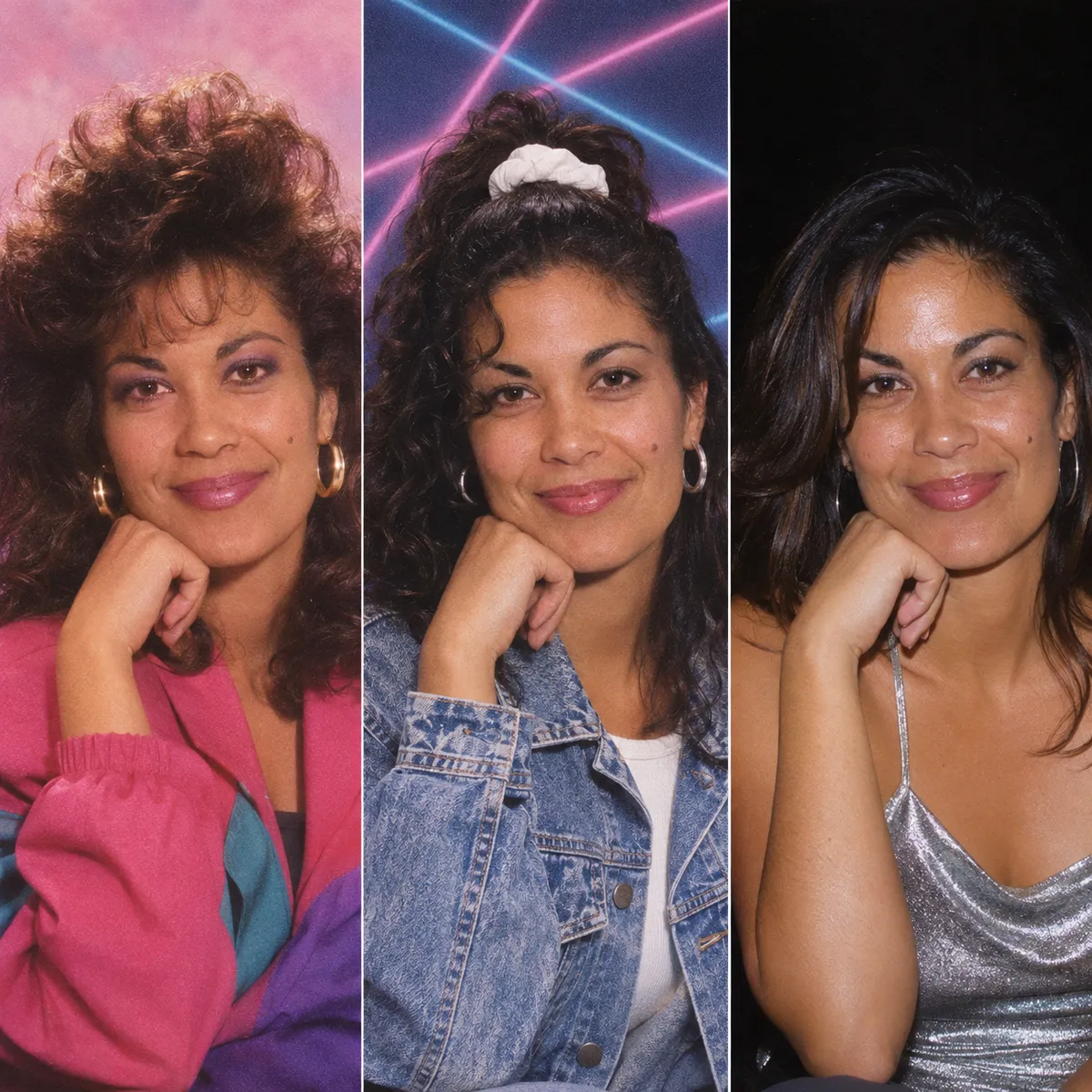
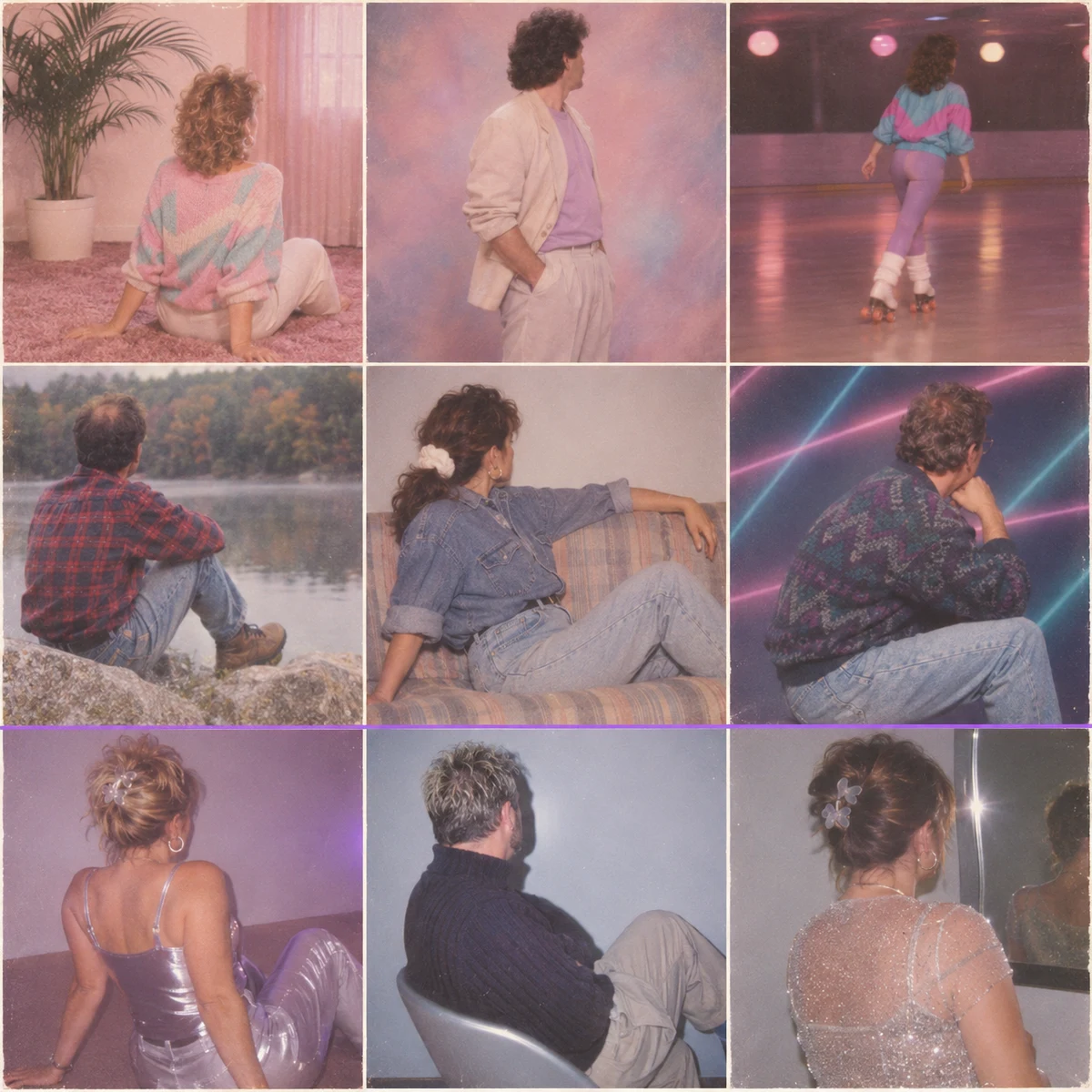
The decade pages
- AI photos in 80s style: padded shoulders, mottled backdrops, warm flash and faded film.
- AI photos in 90s style: mall studio, yearbook and disposable-camera snapshots.
- AI photos in Y2K style: digicam flash, silver fabrics and a cool cast.
Each page has prompts for ChatGPT, the Gemini app and Midjourney, steps, costs, a privacy section and five example images.
Privacy in one table
| ChatGPT | Gemini app | Midjourney | |
|---|---|---|---|
| Used to train models? | Personal accounts: OpenAI may use eligible content to improve its models while “Improve the model for everyone” is on, which is the default on Free, Plus and Pro. The pages do not name images separately [5][6] | If the chat content setting is on, Google uses your future chats to train its generative AI models. If it is off, future chats are not used for training unless you submit feedback [10] | The Public Summary of Training Content answers yes to training on data from user interactions such as prompts, for text and images, and says this follows Midjourney’s Privacy Policy and Terms of Service. It does not say whether uploaded photos are included [18] |
| How to limit it | Settings, Data controls, turn off “Improve the model for everyone”, or use “Do not train on my content” in the Privacy Portal. Feedback thumbs are an exception [6] | Turn off the chat content setting; use a temporary chat [10] | Pro or Mega plan with Stealth Mode; we found no training opt-out in the pages we read [15][16] |
| Who can see your output? | The page we read does not say. Images are saved under Images in your account; deleting the chat removes them from My images [4] | The page we read does not say. Gemini may remove images that look like a Terms of Service violation [8] | Public and remixable by default. Stealth Mode is Pro and Mega only, and public Discord channels stay visible even in Stealth Mode [15][16] |
| Retention | Temporary Chat is not used for training and may be kept up to 30 days for safety [5][6] | History deletes after 18 months by default; reviewed chats are kept up to three years; temporary chats are kept about two months and not used for training [10] | Account and data are deleted within 30 days of a request, with 7 days to reverse it [17] |
| Business accounts | Business, Enterprise and Edu content is not used for training by default [6] | Work or school accounts may be under different terms [8] | Not stated in the pages we read |
All rows were read on 26 November 2026 and reflect each provider’s own pages on that date. OpenAI’s two data pages show “Updated” as a relative time with no calendar date, so we give only our read date. Google’s privacy page shows a Privacy Notice date of 16 November 2026. Midjourney’s help pages block automated access, so we read the Terms, Privacy FAQ and training summary through the help center’s public data feed.
Upload only your own photo, never children, and switch off training use first. The decade pages explain each tool’s steps.
Tips that apply to every trend
- Ask for imperfection: grain, softness, uneven flash. Clean, sharp skin is the quickest giveaway of an AI image.
- Name materials and cuts, not brands, photographers or celebrities.
- One era, one setting and one light source per prompt.
- Keep the background plain and say “no text”.
- Regenerate two or three times and keep the closest face.
- Label the result as AI-generated when it could pass for a real photograph. Midjourney says every image carries a hidden ID tag that midjourney.com/verify checks for free [22]. It can also animate one image into a 5-second video [21].
What we checked
On 26 November 2026 we read the OpenAI, Google and Midjourney pages listed in Sources, the Socialthink and Envato trend articles, and the top Google US results for “ai photo trends”. Prices and limits match our ChatGPT, Gemini, Nano Banana and Midjourney guides, read the same day. Google’s AI Overview for that query was a lead only. We did not run any prompts or compare tool quality.
What changed
- 26 Nov 2026: page published.
FAQ
What are AI photo trends?
They are looks that spread on social media where a person uploads one photo to an image tool and a shared prompt redraws it in a style, such as an 1980s portrait or an early-2000s flash snapshot. The tool changes hair, clothes, light and film grain. We found no primary source that sizes any of these trends. Read 26 November 2026.
Which tool should I use for AI photo trends?
Start free with ChatGPT or the Gemini app, both of which include image creation with limits that are not published as numbers [1][8]. Use Midjourney if you are willing to pay from $10 a month for more control or text-only generation [11][12]. We published no quality ranking and did not test the tools against each other.
Are AI photo trends free?
Mostly. ChatGPT’s Free plan and the Gemini app’s free Nano Banana 2 both let you make images with limits [1][8][9]. Midjourney has no free trial on its website or in Discord [12]. Free limits can change, and neither OpenAI nor Google gives a daily number. Read 26 November 2026.
Which AI photo trends are popular now?
In the search results and pages we read on 26 November 2026, the named looks were 1980s portraits, 3D figurine photos, Ghibli-style portraits, chibi photos, film and disposable-camera looks, Y2K photos and scrapbook collages [23]. We measured none of their popularity ourselves.
Is it safe to upload my face to an AI photo trend?
It carries risk. ChatGPT personal accounts may use content for training unless you opt out, Gemini does if its content setting is on, and Midjourney images are public by default [5][6][10][16]. Use only your own photo, never children, and switch off training use first. Read 26 November 2026.
How do I write a prompt for an AI photo trend?
Use seven parts: who or what (your attached photo), a line to keep your face recognizable, the era, clothes and hair, the light, the camera or film look, and the frame format with a no-text rule. Name no brands, photographers or celebrities. Our decade pages give finished prompts for ChatGPT, Gemini and Midjourney.
How long do AI photo trends last?
Usually weeks to months. One source we read says viral AI formats have short lifespans and the specific trends change quickly [23]. The retro looks on our decade pages are built on the camera look of a decade, which is not tied to one viral template, so the prompts keep working when the trend fades.
Can I try the trend without uploading a photo?
Yes. Describe an invented person in the prompt and let the tool create the portrait. Nothing of yours is uploaded and no real person is shown. Midjourney’s text prompt on our decade pages works that way, and ChatGPT or Gemini prompts need only a changed first sentence. Read 26 November 2026.
Sources
- OpenAI Help Center, ChatGPT Free Tier FAQ, https://help.openai.com/en/articles/9275245-chatgpt-free-tier-faq, read 26 Nov 2026
- OpenAI Help Center, What is ChatGPT Plus?, https://help.openai.com/en/articles/6950777-what-is-chatgpt-plus, read 26 Nov 2026
- OpenAI, Introducing ChatGPT Go, https://openai.com/index/introducing-chatgpt-go, read 26 Nov 2026
- OpenAI Help Center, ChatGPT Images, https://help.openai.com/en/articles/11084440, read 26 Nov 2026
- OpenAI Help Center, Data controls FAQ, https://help.openai.com/en/articles/7730893-data-controls-faq, read 26 Nov 2026
- OpenAI Help Center, How your data is used to improve model performance, https://help.openai.com/en/articles/5722486-how-your-data-is-used-to-improve-model-performance, read 26 Nov 2026
- Google Gemini, Gemini subscriptions (US page), https://gemini.google/subscriptions/?hl=en, read 26 Nov 2026
- Gemini Apps Help, Create images with Gemini, https://support.google.com/gemini/answer/14286560, read 26 Nov 2026
- Google Gemini, Image generation overview, https://gemini.google/us/overview/image-generation/, read 26 Nov 2026
- Gemini Apps Help, Privacy notice and data use in Gemini Apps (answer 13594961), https://support.google.com/gemini/answer/13594961, read 26 Nov 2026
- Midjourney Docs, Comparing Midjourney Plans (updated 3 Nov 2026), https://docs.midjourney.com/hc/en-us/articles/27870484040333-Comparing-Midjourney-Plans, read 26 Nov 2026
- Midjourney Docs, Free Trials (updated 10 Dec 2025), https://docs.midjourney.com/hc/en-us/articles/27870399340173-Free-Trials, read 26 Nov 2026
- Midjourney Docs, Edit Model (updated 24 Sep 2026), https://docs.midjourney.com/hc/en-us/articles/48495453462797-Edit-Model, read 26 Nov 2026
- Midjourney Docs, Image Prompts (updated 31 Aug 2026), https://docs.midjourney.com/hc/en-us/articles/32040250122381-Image-Prompts, read 26 Nov 2026
- Midjourney Docs, Stealth Mode (updated 25 Mar 2026), https://docs.midjourney.com/hc/en-us/articles/32019750070669-Stealth-Mode, read 26 Nov 2026
- Midjourney Docs, Terms of Service (updated 5 Nov 2026), https://docs.midjourney.com/hc/en-us/articles/32083055291277-Terms-of-Service, read 26 Nov 2026
- Midjourney Docs, Data Deletion and Privacy FAQ (updated 5 Nov 2026), https://docs.midjourney.com/hc/en-us/articles/32084462534541-Data-Deletion-and-Privacy-FAQ, read 26 Nov 2026
- Midjourney Docs, Public Summary of Training Content (updated 5 Nov 2026), https://docs.midjourney.com/hc/en-us/articles/48067080311309-Public-Summary-of-Training-Content, read 26 Nov 2026
- Gemini Apps Help, Gemini Apps limits and upgrades for Google AI subscribers, https://support.google.com/gemini/answer/16275805, read 26 Nov 2026
- Midjourney Docs, GPU Speed (Fast, Relax, Turbo) (updated 28 Aug 2026), https://docs.midjourney.com/hc/en-us/articles/32016412137741-GPU-Speed-Fast-Relax-Turbo, read 26 Nov 2026
- Midjourney Docs, Video (updated 31 Aug 2026), https://docs.midjourney.com/hc/en-us/articles/37460773864589-Video, read 26 Nov 2026
- Midjourney Docs, Content Authenticity, https://docs.midjourney.com/hc/en-us/articles/48207461163661-Content-Authenticity, read 26 Nov 2026
- Socialthink, Best AI Photo Trends for Instagram in 2026, https://socialthink.io/blog/best-ai-photo-trends-instagram, read 26 Nov 2026
- Envato, The latest trends in AI-generated images and photography, https://elements.envato.com/learn/trends-ai-generated-images-photography, read 26 Nov 2026
Read next
- AI photos in 80s style: prompts, steps and examples.
- AI photos in 90s style: mall studio, yearbook and snapshot looks.
- AI photos in Y2K style: digicam flash and metallic styling.
- ChatGPT: plans, prices and limits: free tier, Go and Plus.
- Gemini: plans, prices and limits: Google AI plans and usage limits.
- Nano Banana: Google’s image models and where they are free.
- Midjourney: plans, prices and limits: GPU time and the Edit Model.
Written by
Mike
Mike is the founder and editor of Trendarium. He writes about AI tools, games and consumer tech. Drafts are prepared with AI assistance; every price, date and claim is checked against the official source linked on the page, and each page shows when it was last updated.
Related hubs
Most read
- AI photo trends: which looks are popular, which tool to use and what it costs
- AI photos in 80s style: prompts for ChatGPT, Gemini and Midjourney
- AI photos in 90s style: prompts for ChatGPT, Gemini and Midjourney
- AI photos in Y2K style: prompts for ChatGPT, Gemini and Midjourney
- Google Pixel 11: prices, release date, specs and 7 years of updates
Latest
Nothing new in the last hour.
Nothing new in the last 24 h. Most recent:
- AI photos in 80s style: prompts for ChatGPT, Gemini and Midjourney
- AI photos in 90s style: prompts for ChatGPT, Gemini and Midjourney
- AI photos in Y2K style: prompts for ChatGPT, Gemini and Midjourney
- UpdatedWednesday (Netflix): seasons, episodes, cast and where season 3 stands
- UpdatedPS5 Pro price by region, specs against PS5, GTA 6 and stock